
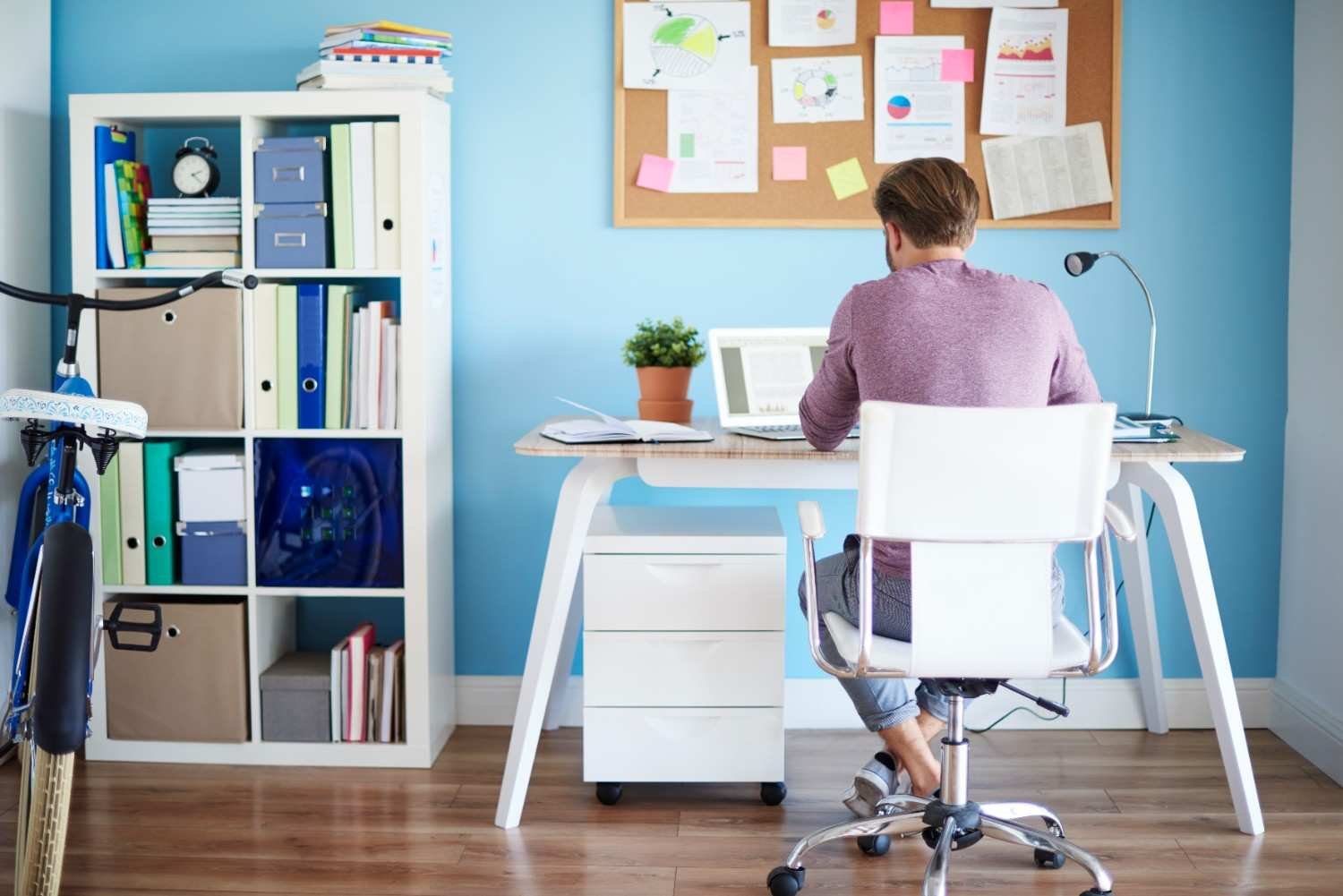
Imagine a workday where discomfort doesn’t creep in after hours at your desk. Picture a home office that not only feels great but actually boosts your focus, energy, and overall well-being. Achieving this starts with an ergonomic home office setup designed for your unique needs.
The correct setup can make all the difference, whether you’re experiencing back strain, neck pain, or just feeling exhausted at the end of the day. From choosing the ideal chair to maximizing desk height and monitor placement, I’ll reveal the key to designing a workstation where comfort and productivity coexist in this blog.
Are you prepared to upgrade your home office? Let’s get started.
Why Does an Ergonomic Home Office Setup Matter?
We all know that sitting for long hours can lead to discomfort. However, improper desk setups can cause more serious health issues like back pain, carpal tunnel syndrome, and neck strain. An ergonomic setup helps align your body in a way that reduces these risks, promoting a healthier and more comfortable work environment.
Benefits of an Ergonomic Setup:

- Reduces Physical Strain: With the right chair and desk height, you’ll avoid unnecessary stress on your back, shoulders, and wrists.
- Improves Posture: An ergonomic setup helps you maintain proper posture, which can lead to less fatigue and more energy throughout the day.
- Boosts Productivity: A comfortable work environment helps you stay focused and work more efficiently.
Key Components of an Ergonomic Home Office Setup
When it comes to creating the perfect ergonomic home office, several key components will ensure your workspace reduces strain while increasing comfort.
1. Choosing the Right Ergonomic Office Chair
The chair you choose plays a pivotal role in your comfort. A good ergonomic office chair should offer lumbar support, adjustable height, and armrests that help alleviate strain on your back, neck, and shoulders.
Consider models like the FlexiSpot Premium Ergonomic (C7 2025 Model), which offers highly adjustable lumbar support and is designed for taller individuals. This allows users to adjust the support to fit their unique body shape, especially if you’re over 6′ tall.
For those looking for a more active seating option, the Håg Capisco 8106 offers a saddle-style chair that encourages “active sitting,” making it ideal for pairing with standing desks. This type of chair promotes better posture and reduces fatigue, especially for people who alternate between sitting and standing.
2. Desk Height and Layout
Your desk height should allow your elbows to rest comfortably at a 90-degree angle while typing. This will reduce strain on your shoulders and wrists. Make sure the desk is wide enough to hold your computer, keyboard, and other necessary tools within easy reach.
Consider a standing desk or a sit-stand desk converter if you prefer alternating between sitting and standing throughout the day. Standing desks are especially beneficial for improving posture and reducing the risk of lower back pain caused by prolonged sitting.
3. Monitor Placement: Positioning for Better Posture
Proper monitor placement is crucial for reducing neck and eye strain. The top of your screen should be at or slightly below eye level, so you don’t have to look up or down for long periods. Your monitor should be about 20 to 30 inches away from your eyes, or roughly an arm’s length.
If you use multiple monitors, position them side by side, at the same height, and make sure you can view them without straining your neck.
4. Keyboard and Mouse Setup: Keep It Comfortable
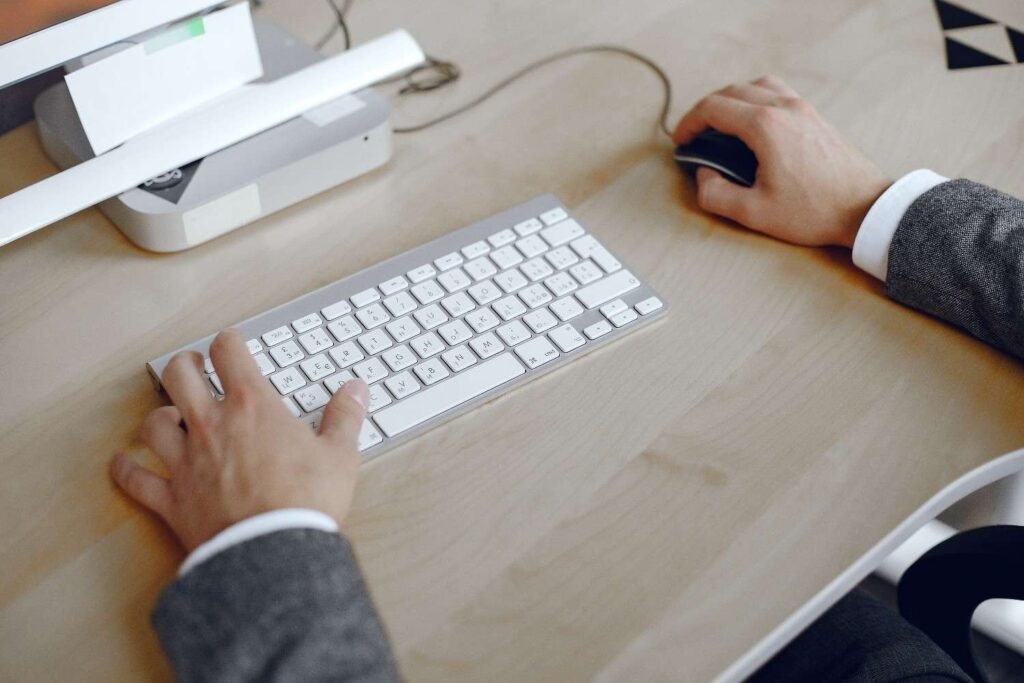
Place your keyboard directly in front of you, with your elbows close to your sides. Your wrists should float comfortably while typing, not bent up or down. Consider using a split keyboard or ergonomic keyboard to reduce strain on your wrists. An ergonomic mouse can also help reduce pressure on your wrist and forearm.
5. Lighting and Room Layout
Proper lighting is essential for reducing eye strain. Position your desk near natural light, but avoid direct sunlight on your screen to prevent glare. Use task lighting, such as a desk lamp, that provides bright, focused light without causing eye discomfort.
Keep your workspace tidy and organized. A clutter-free desk promotes focus and reduces distractions.
The Psychology of Office Design
When designing your ergonomic home office, it’s not just about physical comfort — the psychology of office design plays a key role in how you feel while working.
Research shows that our environment can significantly affect our mood, focus, and productivity. For example, bright lighting and a clear, uncluttered desk can enhance cognitive function, while adding plants to your space can help reduce stress and increase creativity.
Incorporating calming colors like blues or greens and arranging your furniture to minimize distractions can also improve your mental clarity, making your workspace feel more inviting and less stressful.
How to Set Up Your Ergonomic Home Office: Step-by-Step
Step 1: Choose the Right Furniture
Start by selecting an ergonomic office chair and desk that fit your space and needs. Make sure the desk height matches your preferred sitting posture, and the chair provides adequate lumbar support.
Step 2: Arrange Your Desk
Set up your desk with the keyboard, mouse, and monitor in positions that reduce strain on your neck and wrists. Keep the monitor at eye level and ensure the chair is the right height for your desk.
Step 3: Adjust Your Chair
Sit in your chair and adjust it so that your feet are flat on the floor, your knees are at a 90-degree angle, and your lower back is supported by the backrest. Adjust the armrests so that your arms rest comfortably at a 90-degree angle when typing.
Step 4: Set Up Your Lighting
Position your desk near natural light and add task lighting to brighten your workspace. Make sure the lighting reduces glare and reduces eye strain.
Step 5: Take Regular Breaks

Even with an ergonomic setup, it’s important to take regular breaks. Use the 20-20-20 rule: every 20 minutes, take a 20-second break and look at something 20 feet away to reduce eye strain. Consider standing or stretching every hour to avoid stiffness and fatigue.
Frequently Asked Questions (FAQs)
1. How do I know if my chair is ergonomic?
An ergonomic chair should offer adjustable features, including lumbar support, armrests, and seat height. Your feet should rest flat on the floor, and your back should be fully supported by the chair’s backrest.
2. What’s the best monitor height for an ergonomic setup?
Your monitor should be at eye level so that you don’t have to strain your neck. Ideally, the top of the screen should be slightly below your eye line.
3. Can a standing desk improve my health?
Yes! Alternating between sitting and standing throughout the day can help improve circulation, reduce back pain, and increase overall comfort.
4. How often should I take breaks in an ergonomic setup?
It’s recommended to take a break every 30 to 60 minutes. Use the 20-20-20 rule for eye health, and make sure to stand or stretch every hour.
Investing in Your Health and Productivity
Creating an ergonomic home office setup is one of the best investments you can make for your health, comfort, and productivity. With the right ergonomic chair, adjustable desk, and monitor placement, you can reduce strain and enhance your focus, allowing you to work for longer hours without discomfort.
Incorporating ergonomic features into your office setup isn’t just about comfort — it’s about improving your well-being and ensuring you stay productive. With top-rated ergonomic chairs like the FlexiSpot Premium C7 2025 or Håg Capisco 8106, along with the right setup tips, you can achieve a workspace that helps you perform at your best.